XCL XboxPlayer Guide
Only five tested entries
The README records only these five tested titles, far from covering common AAA games. Not being listed does not mean it cannot run, but set your expectations.
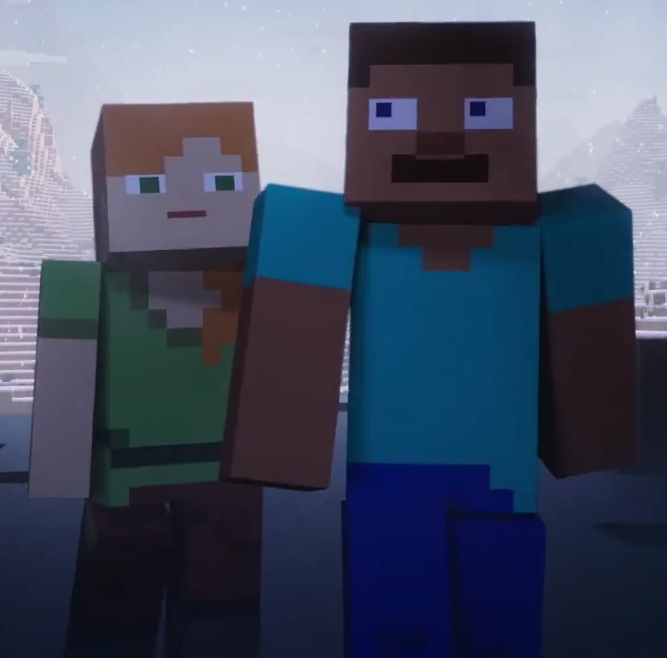
Minecraft Preview box art — XCL Xbox game compatibility test record

Minecraft Preview

Playable
Package: Microsoft.MinecraftBetaVersion: 1.18.3064.0README state: ✅ playable

No known limitations

README marks it as fully playable
Setup
Any D3D12 GPU with SM 6.6 and mesh shaders; no per-game configuration in the README
Performance
The README records no frame figures for this title
What it proves
Worlds actually render: millions of draws, none skipped

This is the strongest entry on the list, and the one to compare your first run against. The README marks it fully playable with no limits at all — not “playable with caveats”, which is how the online titles are described. Its value as a reference is that it exercises the whole path end to end: the PE loader, kernelx, the D3D12.X graphics command lists, texture decoding and audio, in a title that renders real worlds rather than a menu.

Because the README publishes no fps figure for it, treat any number you read elsewhere — including in Discord screenshots — as someone else’s machine. What the project does claim is draw-level correctness: millions of draws replayed with none skipped. That is the right thing to check first if your own run looks wrong, because a skipped draw shows up as missing geometry rather than a slow frame.

If it fails for you while it works for everyone else, the difference is usually the setup rather than the game: DXC too old, a Windows 10 machine without the Agility SDK, or a GPU that does not expose mesh shaders. The first two are covered on the diagnostics page.
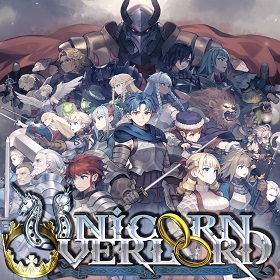
Unicorn Overlord box art — XCL Xbox game compatibility test record

Unicorn Overlord

Playable
Package: SEGAofAmericaInc.Pa253b0c1YVersion: 1.0.0.6README state: ✅ playable

No known limitations

README marks it as fully playable
Setup
Same requirements as any other title; package SEGAofAmericaInc.Pa253b0c1Y 1.0.0.6
Performance
No frame figures recorded in the README
What it proves
A second publisher’s GDK build loads and runs, not just a Microsoft first-party one

The second fully playable entry, and the useful counterweight to Minecraft: it is a commercial third-party title published by SEGA, so it demonstrates that the GDK path works for builds the project did not have a hand in. If you were worried that only a Microsoft title had ever been tried, this is the answer to that.

It is also the cheapest entry to reproduce if you want to sanity-check a new build: a tactics game leans far less on the parts of the stack that are still moving — heavy compute, mesh pipelines, big streaming loads — than a 3D sandbox does. A crash here usually means something structural in the loader or in a system library, not a shader edge case.

The README records no frame rate for it, and there is nothing to read into that: the list is a status table, not a benchmark suite. What it does record is the absence of limits, which is the part that matters when you are deciding whether to spend an evening compiling.

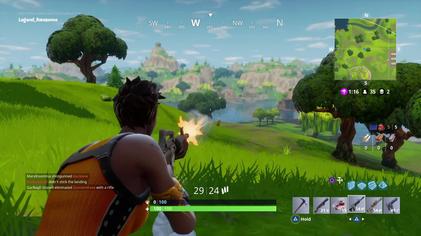
Fortnite box art — XCL Xbox game compatibility test record

Fortnite

Works (with limits)
Package: 436609B6.FortniteClientVersion: 2.0.1461.7919README state: ✅ works

Online services unavailable; works only as far as the game allows without its servers

Multiplayer depends on official servers
Setup
Package 436609B6.FortniteClient 2.0.1461.7919; needs the full unpacked build, not a launcher stub
Performance
Not recorded; the blocker is networking, not rendering
What breaks
The game itself is online-only — it wants Epic’s services and does not have them

Fortnite is listed as working, with a qualifier that is easy to misread: it works fully as far as the game allows without its online services. XCL does not provide console online services, so what you get is whatever the client can do alone — menus, settings, and any offline path the build still contains. It is not a playable battle royale, and no amount of configuration will make it one.

The failure mode here is worth knowing because it does not look like a graphics bug: the client starts, reaches its own network code, and stops there on its own terms. If you are debugging this title, check report.json for what XCL was asked for before you conclude the layer is at fault. The README’s phrasing — the game itself is online-only — is the whole story.

Treat it as a rendering proof rather than a game recommendation. The project cites it as evidence that a large, modern, live-service client gets far enough to draw its screens; that is a meaningful milestone for the graphics stack, and a disappointment for anyone hoping to play.

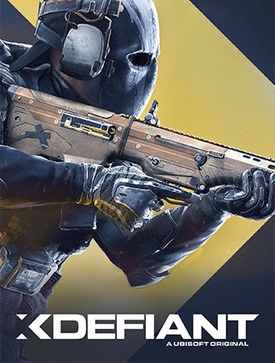
XDefiant box art — XCL Xbox game compatibility test record

XDefiant

Works (with limits)
Package: Ubisoft.XDefiant-GameVersion: 1.0.0.186README state: ✅ works

Game servers are shut down; online play is unavailable

README says it works fully as far as the game allows without its servers
Setup
Package Ubisoft.XDefiant-Game 1.0.0.186; the unpacked build is required
Performance
Not recorded; there is no server left to play against
What breaks
Ubisoft shut the game’s servers down — nothing on the XCL side can fix that

This is the entry that most often gets misread as “XCL does not support XDefiant”. It does, in exactly the same sense as Fortnite: the client runs as far as the game allows without its servers, and the servers are gone because Ubisoft shut them down. The limit is the game’s lifecycle, not the compatibility layer.

Practically, that means the interesting part is what happens before any matchmaking: the client boots, initialises its GDK runtime path, reaches its menus and then has nowhere to go. If you are testing a build, that sequence — boot, runtime init, menu — is still a useful smoke test, because it exercises the same subsystems a playable title does.

Do not expect a community workaround. Running the client against private infrastructure is outside what this site documents, and the README only claims what the game itself permits offline. If your goal is “play something today”, the two fully playable entries above are the ones to look at.

Unnamed retail game box art — XCL Xbox game compatibility test recordIllustration · not gameplay

Unnamed retail game

In progress (~60%)
Package: —Version: —README state: 🚧 ≈ 60% (estimate)

About 4 s to the first frame, a steady 30 fps in menus; the NVIDIA integration branch in PR #2057 is needed to enter the 3D world, where it runs at ~5 fps on an RTX 5090 (14 fps average over a five-minute run including menus and loading); minimap and other mesh pipelines refused, so the picture is incomplete and it does not keep running there long

README marks it "not playable yet", about 60 % complete (estimate)
Setup
A 32 GB machine: about 15 GB is committed while it sits in its menus
Performance
~4 s to the first frame, a steady 30 fps in menus, ~5 fps in the 3D world (RTX 5090; 14 fps average over a five-minute run including menus and loading)
What breaks
The minimap and other mesh pipelines are refused by the driver, so the world’s picture is incomplete and it does not stay running there long

The unnamed retail title is the honest headline of the project, and its numbers are the ones people quote out of context. Read the whole row: about four seconds to the first frame, a steady 30 fps without a crash in the menus, menus and settings reachable past the first screen, and about 15 GB committed on a 32 GB machine. That is a modern console title initialising on a PC through a compatibility layer — a real milestone.

Then the other half: getting into the 3D world needs the NVIDIA integration work tracked in PR #2057, and there it runs at roughly 5 fps on an RTX 5090 — 14 fps on average across a five-minute run that includes menus and loading. The frame is also incomplete, because its minimap and other mesh pipelines are refused by the driver, and it does not keep running in the world for long. The README estimates the overall state at about 60 % of the way to playable, and that estimate is the project’s own.

If you take one thing from this entry, take the distinction between “starts” and “playable”. Everything up to the menus works; the world is where the remaining work is. A black screen on your machine with this title is therefore not necessarily a misconfiguration — check the log for refused mesh pipelines before assuming your setup is wrong.

GTA VI and XCL: no verified result yet

There is no GTA VI entry in the tested list yet, so this site makes no claim about whether it boots. When a PC build is available, the same gates apply: Windows 10/11 x64, a D3D12 GPU with Shader Model 6.6 and mesh shaders, and game files you already own and have unpacked. XCL does not download, decrypt or unpack game packages, and this site provides no DRM bypass.

Image credits

Images are used for identification only; all rights remain with their respective owners.

EN